A nurse finishes recording a patient’s vitals just as the connection drops. The app shows a checkmark. Has it saved the entry on the phone, or can the rest of the care team see it? That’s the first question I ask when evaluating how to handle offline data entry in home health apps. A good offline workflow lets clinicians finish documenting the visit, see exactly what’s waiting to upload, and verify that the record reached the clinical system.
Decide What Caregivers Can Do Offline
Start with the tasks clinicians perform during a typical home visit. They may need to view the assigned schedule, read a cached care plan, record vitals, complete a checklist, or write a progress note. If the agency uses electronic visit verification (EVV), determine which check-in, check-out, and signature functions are supported offline.
Evaluate photos, signatures, care-plan changes, and new visit assignments individually. A note can fit in a small upload, while a set of wound photos may take longer and require its own progress indicator. A care-plan change may require the latest server version. Show unavailable actions with a short explanation so the caregiver knows when to try again.
Download the Right Visit Records Before Leaving
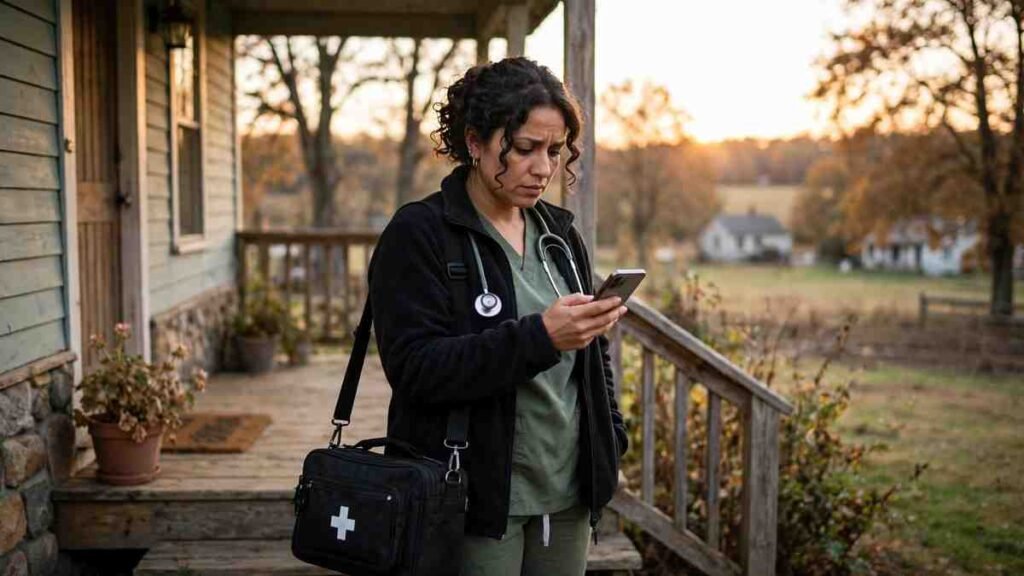
Give caregivers a way to download their assigned visits and required forms while they have a reliable connection. Show which visits are ready for offline use, when they were last refreshed, and whether anything failed to download. Make the status visible from the schedule so users can spot missing records before they leave.
If dispatch changes an assignment after that download, the caregiver may still see the earlier schedule until the next refresh. Displaying the download time helps staff judge how current the information is. Give them a refresh action and an agency-defined fallback for an urgent change or missing record.
Save Visit Notes Locally and Show Their Status
The central decision in how to handle offline data entry in home health apps is when the app can say an entry is saved. Write the draft to durable device storage before showing a success message. A clinician should be able to close the app, reopen it, and pick up where they left off. Run offline validation for fields the app can check locally, then flag anything that needs server validation.
Use Status Labels That Tell Caregivers What Happened
“Draft saved on device” means the clinician can return to the entry. “Pending sync” means a completed entry is queued. “Synced” means the destination confirmed receipt. “Needs review” means an upload failed or a conflict needs attention. Show these statuses on individual visits so a caregiver can see which records have cleared and which still need work.
Sync After Reconnecting and Prevent Duplicate Entries

Use a persistent upload queue so completed entries survive app restarts. Let uploads resume when the app can reach the server, and offer a manual sync option. If the connection briefly returns and drops again, keep unconfirmed entries in the queue and retry temporary failures with progressively longer delays.
Retry Safely When Confirmation Is Missing
Suppose the server receives a visit note, but the phone loses its connection before receiving the confirmation. The phone still sees a pending entry and tries again. Give each submission a stable identifier and reuse it on every retry so the server can recognize the original submission and return its status. For visits with attachments, show whether the note arrived while a photo is still pending.
Route Conflicting Edits for Review
A coordinator might reschedule a visit while a nurse is offline and already documenting it. Keep the nurse’s entry and the server version available, then flag the conflict for the assigned reviewer. Show what changed and when. Use similar care with signed notes and fields where silently overwriting an edit could affect the accuracy of the patient record.
Protect Patient Data Stored on the Device
Limit offline downloads to the records and forms required for assigned visits. Keep public page assets separate from offline patient records so you can improve mobile page speed on hospital websites by optimizing images and scripts. Encrypt locally stored patient data, restrict access to authorized users, and define how long cached records remain available. Keep patient details out of general diagnostic logs and notifications. Explain what happens to pending work before a user signs out, clears local data, or changes devices.
Test Offline Mode Across an Entire Visit

To test how to handle offline data entry in home health apps, start a visit online, cut the connection halfway through a note, and restart the app. Confirm the draft reopens. Finish the visit offline, reconnect briefly, and interrupt the upload. When service returns, verify that the destination has one complete record and the app shows the correct status.
Repeat the test with an expired session, limited device storage, a failed photo upload, and a visit edited by the office. Give supervisors a way to identify overdue submissions and entries waiting for review.
Frequently Asked Questions
1. What should teams prioritize when deciding how to handle offline data entry in home health apps?
Prioritize durable local saves, visible submission status, and reliable retries. Start with the visit notes and forms staff use most often, then test what happens when the connection drops at each stage.
2. Can caregivers clock in and out without internet access?
Some apps support offline clock-in and clock-out for eligible visits. Check which events the app can capture, what information is available offline, and how the agency handles records that require correction.
3. What should caregivers do if a note is stuck in Pending Sync?
Once a reliable connection returns, check the visit’s status and use the app’s manual sync option if available. If the entry stays pending or moves to Needs Review, follow the agency’s escalation process before entering it again.
What I’d Check Before Rollout
I’d ask a caregiver to complete a mock visit with no signal and then show me where the note is, whether the office can see it, and what to do if an attachment fails. If the caregiver can answer all three from the visit screen, the offline workflow is ready for a realistic field pilot.