When I plan a check-in kiosk, I start with a patient who arrives five minutes before an appointment. They need to find their visit, confirm they’ve arrived, and know where to go next. If they have to reenter information they already provided or ask reception whether the kiosk worked, the design has added friction to check-in.
If you’re wondering how to design a digital check-in kiosk for a medical office, start by mapping a returning patient’s arrival from the first tap to the moment it appears on the front desk’s screen. Then work through the exceptions your staff handle every day.
1. Map the shortest check-in flow first
A returning patient who completed their forms online should have a short path through the kiosk. Decide which steps are essential for that visit before designing the screens. If you automate appointment waitlists for medical clinics, make sure the kiosk recognizes the updated appointment when a patient accepts an earlier slot.
- Welcome. Show “Start check-in,” offer a language choice, and make “Get help” easy to find.
- Find the appointment. Ask for the lookup details your practice uses and let reception handle uncertain matches.
- Confirm the visit. Show enough information for the patient to confirm they selected the right appointment.
- Review outstanding items. Ask about changes and display only the forms or details still needed.
- Confirm arrival. Once the practice system accepts the check-in, show “You’re checked in” and tell the patient where to wait.
2. Give new patients and caregivers their own paths
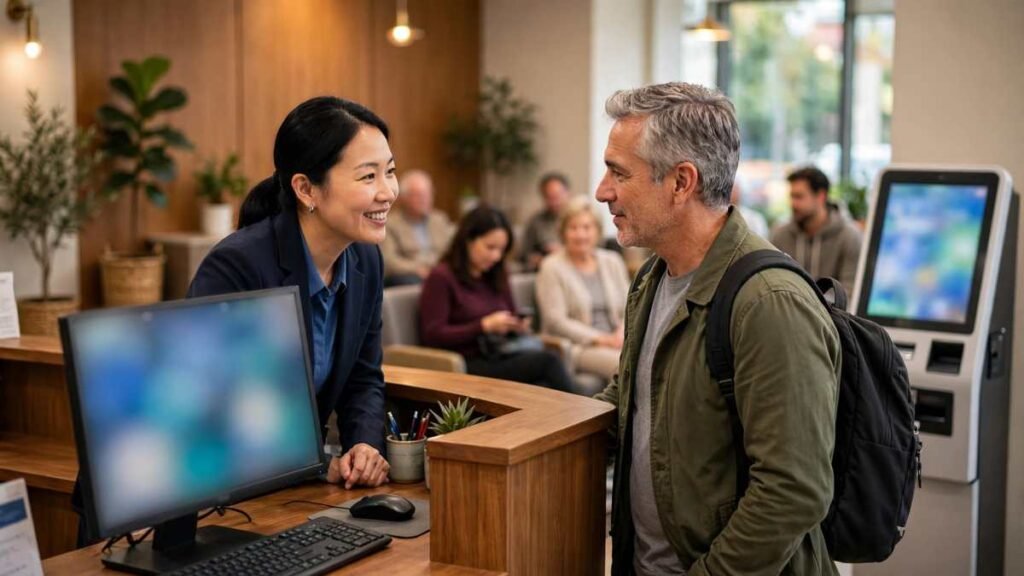
A first-time patient may need to complete a registration form, sign a consent document, or scan an insurance card. A returning patient may only need to report a change. Show each person the steps relevant to their visit. If a scan fails twice, offer staff assistance so the patient can move forward.
Make assisted check-in easy to find
Give caregivers a clear way to indicate they’re checking in for someone else. If the kiosk can verify their authority to proceed, let them continue. Otherwise, direct them to reception before displaying appointment details. Use the same staffed route for walk-ins or patients who prefer help.
3. Design the touchscreen and waiting room together
A practical way to decide how to design a digital check-in kiosk for a medical office is to test an early prototype in the spot where patients will use it. Check whether someone entering the office can find the kiosk, approach it with a mobility aid, and reach the screen and scanner while seated. Look for glare and check what someone standing in line can read.
On-screen, use large tap targets, readable text, strong contrast, and plain-language buttons such as “Confirm appointment.” Let patients select a language using its written name. Test translated screens with speakers of those languages and include patients with different access needs in usability sessions.
4. Protect patient information on a shared screen

Collect the details needed for the task at hand. After a patient confirms a detail, avoid displaying it on later screens unless they need it again. Angle the kiosk away from nearby seating and check the view from the queue at busy times.
Clear the session after check-in or when the patient exits. For inactivity, show a warning with enough time to respond and an option to continue. Test what happens after a restart and verify that the next patient starts with a fresh session.
5. Connect the kiosk to the front desk workflow
Define what the electronic health record or practice management system should receive. Give staff a way to distinguish an accepted arrival from an item that needs review, such as an unreadable insurance card or an unfinished consent form. Assign someone to handle each exception and make it clear what they need to do.
Show the patient a confirmation only after the destination system accepts their arrival. If a patient taps twice or retries after a slow response, check the existing arrival status before creating another entry. That gives reception one record to work from.
6. Write the failure screens before launch

Give every error message a clear next action. If appointment lookup fails, try “We couldn’t find your appointment. Please ask reception to help you check in.” If a connection drops before the kiosk can confirm arrival, say “We couldn’t confirm your check-in. Please go to reception.”
Test both messages with front-desk staff. They should know what the patient saw, whether anything reached the practice system, and how to finish check-in. Use the same approach for a failed card scan or a declined payment if the kiosk supports copays.
7. Pilot the kiosk and fix the slowest step
Run the kiosk alongside staffed check-in during a pilot. Track how many eligible patients choose it, how many complete the flow, how long it takes, and where people stop or ask for assistance. Observe a busy period as well as a quiet one. A scanner that works during a demonstration can still hold up a queue if its instructions are hard to follow.
Review the results with reception staff. If several patients need help on the same screen, revise that screen and measure whether assistance requests fall.
Frequently Asked Questions
1. What should I prioritize when deciding how to design a digital check-in kiosk for a medical office?
Start with appointment lookup, clear arrival confirmation, and a visible way to ask for help. Add forms, scanning, or payments when they fit the practice’s workflow and staff can resolve exceptions.
2. Where should a patient check-in kiosk be placed?
Choose a visible spot near the entrance or reception, with room for a seated approach and a queue. Face the screen away from waiting seats and pedestrian traffic where possible.
3. Should patients be able to skip a kiosk step?
Let patients bypass optional items and recognize forms they completed before arrival. For required items they can’t complete, explain what reception can help with and how to get there.
Before you launch
When I think about how to design a digital check-in kiosk for a medical office, I come back to two questions. Does the patient know what to do next? Can reception see what actually happened? I’d test both on an ordinary visit and on a visit where something goes wrong. If the patient and staff can finish either check-in without guessing, the kiosk is ready for a pilot.