
The most expensive CMS is not necessarily the one with the highest development bill. It can be the platform that forces employees through inefficient workflows, requires fragile plugins for critical functions, or blocks a company from connecting the systems it already depends on.
That is the real argument behind custom CMS development for businesses. Instead of adjusting operations to fit a generic publishing platform, a company builds content technology around its actual workflow, security requirements, data structure, integrations, and growth plans.
But custom does not automatically mean better. The decision only makes sense when the business problem is complicated enough to justify owning more of the technology.
What Makes a CMS Truly “Custom”?
A custom content management system is designed specifically for an organization’s requirements rather than assembled primarily around the assumptions of an off-the-shelf CMS.
That could mean developing the entire platform from scratch. More commonly, businesses combine custom application code, APIs, cloud infrastructure, databases, search services, and established frameworks instead of reinventing every technical component.
The difference is control.
A retail company might require product information to pass through merchandising, legal, SEO, and regional approval before publication. A healthcare organization may need stricter permissions and audit histories. A multi-brand enterprise might need one content repository capable of supplying dozens of websites and applications.
Those needs can become awkward when squeezed into a conventional page-and-post CMS.
Where Custom CMS Development Creates Real Value
Publishing Workflows Can Match the Business
Generic platforms usually start with a straightforward model: create content, review it, and publish it.
Real organizations are rarely that simple.
A custom system can introduce workflows such as:
writer → subject-matter reviewer → compliance → brand approval → localization → scheduled publication.
Permissions can also become granular. An employee might edit product descriptions without changing pricing, while regional marketers manage localized pages without touching global templates.
This approach aligns with established role-based access-control principles. NIST’s work on role-based access control describes a model in which access is assigned according to defined organizational roles rather than loosely granting permissions to individual users.
Integrations Become Part of the Architecture
For many companies, content no longer lives independently.
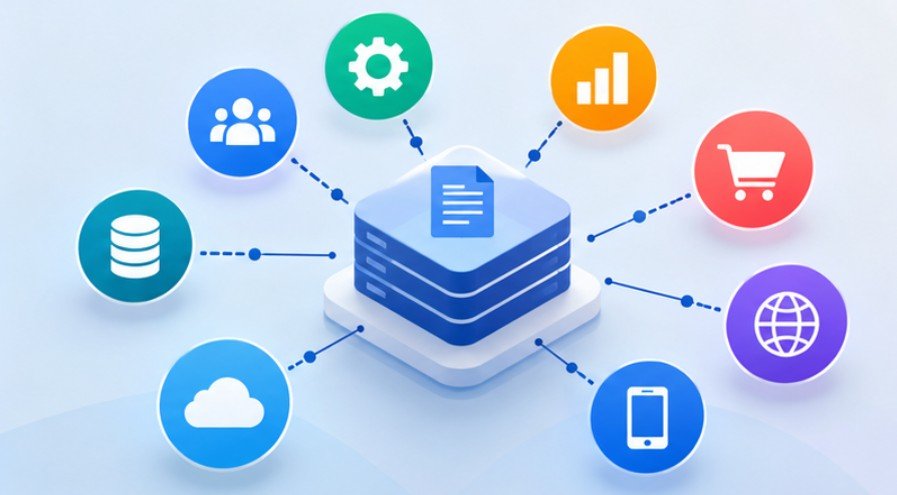
A CMS may need information from a CRM, ERP, product information management platform, inventory database, marketing automation system, analytics stack, customer portal, or proprietary application.
Custom development allows engineers to design those relationships directly.
When a CMS needs to exchange content and business data with external applications, well-designed APIs help connect those systems reliably; this overview of REST API integration in web development explains how applications communicate through API requests and responses.
For example, a manufacturer could automatically pull approved specifications from its product database while allowing marketers to add customer-friendly descriptions. When specifications change, the CMS does not rely on someone manually updating hundreds of product pages.
That is where custom architecture becomes operational infrastructure rather than simply website software.
Headless Architecture Changes the Equation
Businesses considering a custom CMS should also evaluate headless and decoupled architectures.
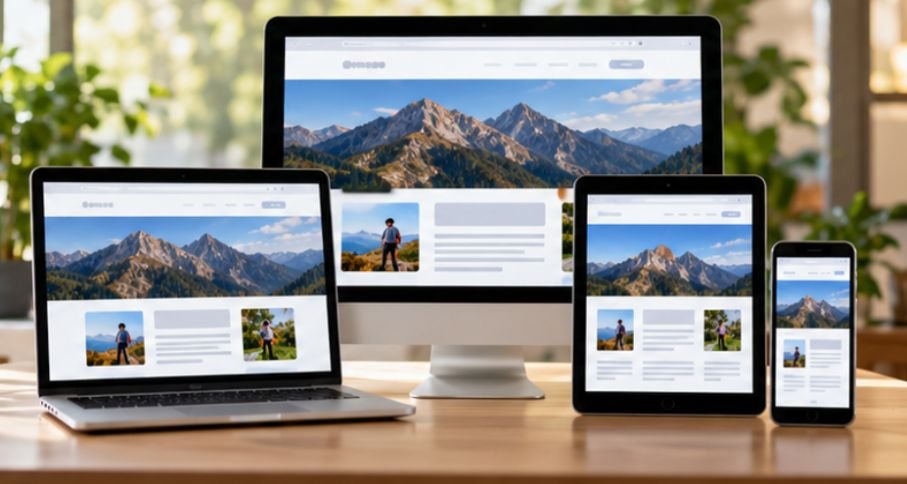
A traditional CMS typically manages content and renders the website through the same platform. A headless CMS separates content management from presentation and makes content available through APIs.
That means one content record might supply:
a corporate website, mobile application, customer dashboard, digital display, partner portal, and future interfaces that have not been designed yet.
When the same content needs to serve users across devices and remain accessible during unreliable network connections, a progressive web apps implementation guide can help teams plan app-like experiences, offline access, and reliable content delivery.
However, organizations should not assume that headless automatically requires a ground-up custom CMS. Platforms such as Contentful, Strapi, ButterCMS, Umbraco, Kentico, and enterprise systems can provide much of the underlying infrastructure while developers customize the experience around them.
When customizing the CMS frontend, reusable interface elements can help maintain consistency across content types and applications; learn how to create reusable web components with vanilla JavaScript to understand how to build components that can be reused throughout a web application.
Building commodity features yourself has little value if an established platform already solves them reliably.
Security Is an Advantage Only If You Engineer It Properly
Custom software is sometimes described as inherently more secure because attackers cannot target a widely installed plugin ecosystem.
That explanation is incomplete.
A custom CMS may reduce exposure to mass exploitation of popular components, but the organization also becomes responsible for authentication, authorization, patching, dependency management, input validation, backups, logging, monitoring, and incident response.
Security must therefore be designed into the system.
OWASP’s security logging and monitoring guidance recommends recording events such as invalid authentication attempts, access-control violations, input-validation failures, administrative actions, and system exceptions while avoiding sensitive information in logs.
The FTC also advises businesses to minimize the sensitive information they collect, limit access, protect retained data, dispose of information that is no longer needed, and prepare for incidents. FTC guidance on protecting personal information is particularly relevant when a CMS stores customer, employee, membership, or account data.
Custom control creates an opportunity for stronger security. It does not guarantee it.
Accessibility Should Be Built Into the Editor
One overlooked advantage of a well-designed CMS is preventing inaccessible content before it reaches the website.
The CMS could require alternative text where appropriate, encourage logical heading structures, flag problematic link labels, enforce accessible components, or prevent editors from selecting unsupported design combinations.
W3C recommends using the latest Web Content Accessibility Guidelines. WCAG 2.2 includes requirements covering areas such as keyboard accessibility, text alternatives, contrast, forms, authentication, and interface behavior.
This matters particularly for U.S. organizations serving the public. The Department of Justice’s ADA web accessibility guidance explains that inaccessible websites can prevent people with disabilities from accessing goods, services, and information provided online.
Accessibility should therefore be a publishing requirement, not a cleanup project.
A Five-Question Test Before Building

Before approving custom CMS development for businesses, decision-makers should answer five questions.
1. Are Our Workflows Actually Unique?
Document the publishing process from content request to publication. If ordinary CMS roles and workflows already cover 90% of it, customization may be enough.
2. Which Integrations Are Mission-Critical?
Identify every system exchanging data with the CMS. Separate convenient integrations from those required to operate the business.
3. What Must the Platform Support in Three Years?
Consider additional brands, languages, applications, content types, regions, users, and distribution channels.
Design for credible growth, not imaginary requirements.
4. Who Owns Maintenance?
Someone must manage upgrades, security patches, testing, backups, monitoring, infrastructure, documentation, and technical debt after launch.
If nobody owns the platform after deployment, custom software becomes a liability.
5. Can an Existing Headless Platform Solve the Problem?
Compare three options: configure an established CMS, extend a headless CMS, or build a genuinely custom platform. Choose custom development only when the business benefits of greater control outweigh additional engineering responsibility.
When a Custom CMS Is Probably the Wrong Choice
A custom system is difficult to justify for a straightforward marketing website, small publication, portfolio, local service business, or basic ecommerce operation.
WordPress, Drupal, Shopify, SaaS website platforms, and headless CMS products already solve many common publishing problems economically.
Customization becomes more compelling as unusual workflows, proprietary data relationships, specialized permissions, omnichannel delivery, complex integrations, or governance requirements accumulate.
The question is not whether your developers can build a CMS. The question is whether maintaining one creates a durable business advantage.
Frequently Asked Questions
1. What is custom CMS development?
It is the creation or substantial customization of a content management platform around a company’s unique workflows, data structures, integrations, permissions, security requirements, and publishing channels.
2. How long does custom CMS development take?
A substantial system can require several months, although timelines vary widely according to integrations, migrations, workflows, security requirements, testing, and the complexity of the user interface.
3. Is a custom CMS more secure than WordPress?
Not automatically. Custom software can reduce dependence on broadly targeted plugins, but security depends on architecture, coding practices, access controls, patching, monitoring, testing, and ongoing maintenance.
4. Should businesses choose custom CMS development or headless CMS?
Use an existing headless platform when its content model, APIs, security, and workflow capabilities meet requirements. Consider custom development when important operational requirements cannot be met cleanly without extensive workarounds.
Final Takeaway
The strongest reason to build custom content technology is not that standard CMS platforms are inadequate. It is that some businesses eventually develop workflows, integrations, governance rules, and distribution requirements that no standard platform fits comfortably.
That makes custom CMS development for businesses an architectural decision rather than a website-design decision.
Map workflows first. Identify required integrations. Define security and accessibility requirements. Estimate ongoing ownership costs. Then compare custom development against established headless and enterprise platforms.
If custom software removes genuine operational constraints, the investment can become infrastructure for growth. If it merely rebuilds features another platform already handles well, complexity—not competitive advantage—is what the business has purchased.