
Business information is often scattered across spreadsheets, accounting systems, customer platforms, surveys, and cloud databases. I have found that the real challenge is not collecting more numbers. It is turning those numbers into a useful answer before an opportunity is missed or a costly decision is made.
The best AI tools for business data analysis can clean files, explain patterns, create charts, detect unusual changes, and forecast outcomes. However, I would not select a platform simply because it produces an impressive dashboard. A useful tool must match the company’s data sources, employee skills, privacy requirements, reporting process, and budget.
What Makes an AI Data Analysis Tool Effective?
A strong platform should do more than generate summaries. It should show how an answer was produced and make important calculations easy to verify.
Accuracy matters when a tool interprets dates, totals, percentages, missing values, and category labels. Ease of use is equally important because many employees are not programmers. Natural-language prompts, reusable reports, and clear explanations can help finance, marketing, sales, and operations teams work more independently.
Security also matters. Businesses should review retention rules, user permissions, audit logs, encryption, model-training policies, and where uploaded information is stored.
Best AI Tools for Analysing Business Data

1. ChatGPT
ChatGPT can analyse spreadsheets, clean columns, calculate changes, identify anomalies, create charts, and explain findings in plain language. It is useful for exploratory work, but important calculations should always be checked against the original data.
2. Microsoft Power BI Copilot
Power BI Copilot helps users create reports, summarise dashboards, and explore data through conversational prompts. It is a practical option for organisations already using Microsoft products and works best with reliable data models.
3. Tableau AI
Tableau AI supports visual exploration, dashboard creation, and data storytelling. It suits teams that need interactive reports and strong visual communication, although new users may require training.
4. Looker Conversational Analytics
Looker lets users ask natural-language questions while grounding answers in a semantic model. This helps maintain consistent definitions for revenue, profit, conversion rate, and retention.
5. ThoughtSpot Spotter
ThoughtSpot Spotter supports conversational self-service analytics. Employees can question governed company data without waiting for another static dashboard. Clean metadata remains essential.
6. Qlik Answers
Qlik Answers combines structured data with information stored in documents. It is useful when a decision depends on both numerical records and written material such as customer feedback or policy files.
7. IBM Cognos Analytics
IBM Cognos Analytics combines governed reporting, dashboards, and AI-assisted exploration. It suits organisations that prioritise formal reporting, though implementation may require more time and training.
8. Zoho Analytics
Zoho Analytics includes conversational assistance through Ask Zia. Users can generate charts, explore trends, and build reports without writing complex queries.
9. Julius AI
Julius AI focuses on spreadsheet and file-based analysis. It can create charts, calculate statistics, explain trends, and turn Excel or CSV information into readable reports.
10. Polymer
Polymer helps users convert connected information into dashboards and shareable reports. It is useful for teams that need to communicate findings quickly.
How to Test an AI Analytics Platform
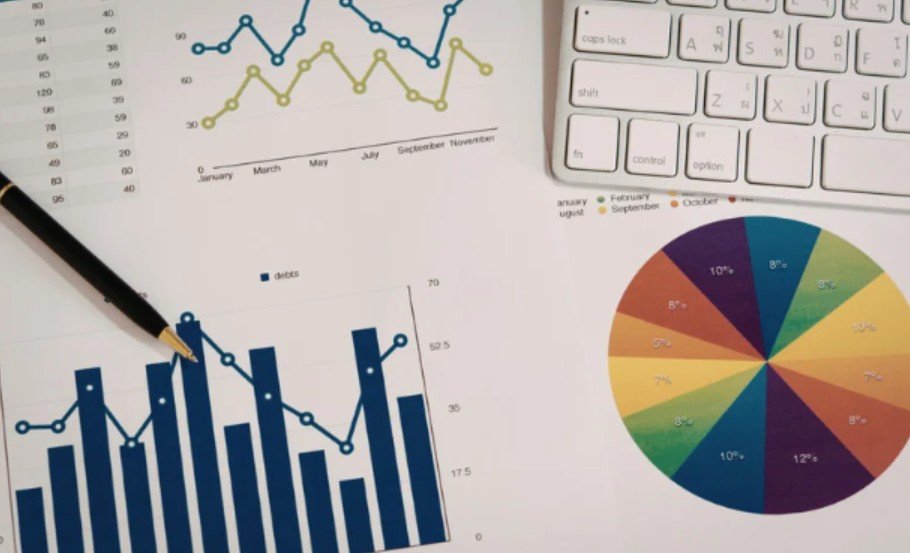
The safest way to compare AI tools for business data analysis is to give every shortlisted platform the same dataset and questions. Ask each tool to identify revenue changes, find missing values, group customers, forecast a metric, create a chart, and explain its calculations.
Score the results for accuracy, speed, clarity, visual quality, traceability, and ease of correction. Use a messy file rather than only a polished sample. Real data often contains duplicate rows, inconsistent dates, blank cells, and unclear labels.
Total cost should also be reviewed. Connector fees, AI credits, implementation, training, storage, security features, and user licences may make the final expense much higher than the advertised starting price.
How to Build a Reliable AI Analysis Workflow
Begin with approved data and correct obvious errors. Define important metrics before asking broad questions. Request both the answer and the method used to produce it.
Marketing teams can strengthen this process by using AI tools for social media marketing to collect campaign insights, compare audience engagement, identify content trends, and turn performance data into better publishing decisions.
Check totals against a trusted report, review charts for misleading scales, and confirm that forecasts use sensible assumptions. Once the workflow becomes reliable, repeated questions can be converted into scheduled reports, alerts, dashboards, or reusable prompts.
AI should make analysis faster without removing human responsibility.
Frequently Asked Questions
1. What are the best AI tools for business data analysis?
The best choice depends on the task. ChatGPT and Julius AI suit file analysis, Power BI and Tableau support dashboards, while Looker, ThoughtSpot, Qlik, and Cognos are stronger for governed analytics.
2. Can AI Analyse Excel and CSV Files?
Yes. Many platforms can clean spreadsheets, calculate changes, detect unusual values, create charts, and summarise findings from Excel or CSV files.
3. Can AI Replace a Data Analyst?
AI can automate repetitive preparation and basic exploration, but analysts remain essential for defining metrics, checking assumptions, validating results, and adding business context.
4. How Can a Business Protect Sensitive Information?
Review retention policies, access controls, audit logs, encryption, hosting locations, model-training terms, and contractual protections before uploading confidential data.
Final Takeaways
I see AI analytics as an accelerator rather than an automatic decision-maker. The strongest platform is not necessarily the one with the most dramatic dashboard. It is the one that produces accurate, explainable results inside a secure and repeatable process.
I would begin with one real dataset, several important questions, and a simple scoring method. When a tool consistently handles imperfect information, explains its method, fits existing systems, and helps people act faster without weakening oversight, it has earned a place in the business.