
The most important thing to know before building a custom GPT in 2026 is that the product itself is changing. OpenAI has announced plans to retire custom GPTs and move reusable workflows toward Plugins; for affected Enterprise workspaces, retirement is planned for December 11, 2026.
That does not make how to build custom GPTs for internal business processes irrelevant. It makes good architecture more important. Build the workflow, rules, knowledge structure, permissions, and testing process correctly now, and those assets can move to whatever interface replaces the GPT Builder.
For a U.S. business, the goal should not be “create an AI chatbot.” It should be: turn one well-understood operating procedure into a controlled, measurable AI workflow.
Start With a Process, Not a Prompt
The strongest internal GPTs solve narrow problems. Think employee onboarding questions, first-pass contract intake, marketing brief formatting, customer-support response drafting, sales-call preparation, SOP lookup, or transforming meeting notes into a standard report. Avoid beginning with “build an AI assistant for the entire company.”
Instead, write down:
- What triggers the process?
- What information must the employee provide?
- Which internal sources govern the answer?
- What should the GPT produce?
- What must always be reviewed by a human?
- What information should the system never access or disclose?
NIST’s AI Risk Management Framework recommends considering AI risk throughout design, deployment, use, testing, and evaluation rather than treating governance as an afterthought.
A practical rule is simple: if you cannot describe the existing workflow clearly on one page, you probably are not ready to automate it.
Choose a Workflow Worth Automating
Suppose a 20-person marketing department repeatedly creates campaign briefs. Employees currently search several documents, copy brand rules, find customer personas, check compliance language, and format the final brief. That might take 25 minutes.
A narrowly designed GPT could ask for the campaign objective, audience, channel, offer, and deadline before producing a draft based on approved internal documentation.
If 15 briefs are produced weekly and the GPT saves 15 minutes per brief, that is 225 minutes—or 3.75 staff hours—saved each week. That calculation is more useful than asking whether AI seems innovative. For other productivity ideas that can complement an internal GPT, see these AI productivity tools for remote teams.
Prepare the Knowledge Before Opening GPT Builder
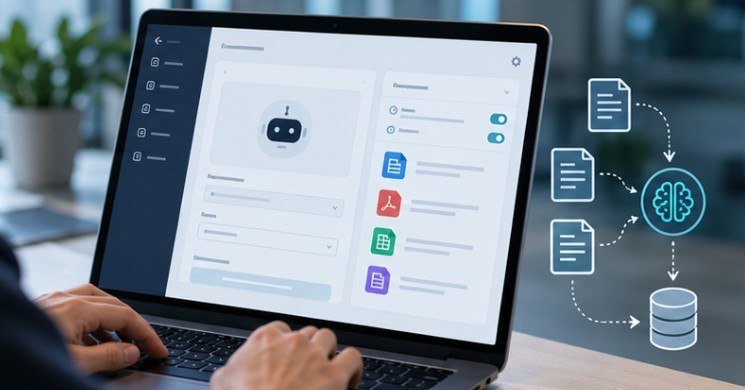
An internal GPT becomes far more reliable when its source material is curated. Gather current SOPs, employee guides, approved templates, product specifications, pricing rules, brand guidelines, glossaries, and process documentation. Remove duplicates and archive obsolete versions before uploading anything.
OpenAI currently allows GPT creators to attach up to 20 knowledge files, with individual files up to 512 MB. It recommends using knowledge files for reference material while keeping behavioral rules and workflow instructions in the GPT’s instruction field.
That distinction matters. Your employee handbook is knowledge.
“Never give a definitive HR ruling; direct policy exceptions to HR” is an instruction.
MIT Sloan similarly advises organizations to think carefully about what information enters a custom GPT and warns against placing sensitive or personally identifiable data into inappropriate AI environments.
How to Build the GPT in ChatGPT
As of October 2026, new GPT creation is unavailable on personal Free, Go, Plus, and Pro accounts. Creation remains available in eligible Business, Enterprise, and Edu workspaces when administrators permit it.
If your workspace supports creation, open Explore GPTs on the web and select Create. You can describe the assistant conversationally or configure its fields directly.
Give It One Clearly Defined Job

Use a specific name such as “Campaign Brief Assistant” rather than “Marketing AI.” Then write instructions covering five elements:
Role: Define what the GPT is responsible for.
Inputs: State what information it must collect before working.
Process: Specify the order of operations.
Output: Define the exact structure of its response.
Escalation: Explain when it should stop, acknowledge uncertainty, or involve a human.
For example, an HR policy assistant might be instructed to answer only from approved policy documents, mention the relevant policy section, avoid interpreting employment law, and escalate unusual cases to HR. This makes the assistant behave more like a documented business process and less like an unrestricted chatbot.
Add Capabilities Carefully
Capabilities should be enabled because the workflow requires them—not because they are available. Web search may help a research assistant retrieve current information. Code Interpreter and Data Analysis can support spreadsheet analysis, calculations, and charts. Apps can connect the GPT with user-connected services, while Actions can connect it with developer-defined external APIs.
OpenAI currently states that a GPT can use apps or actions, but not both simultaneously. The more systems an AI can access or modify, the more important permission boundaries become.
OWASP’s current generative-AI guidance highlights prompt injection, sensitive-information disclosure, excessive agency, and related threats as major risks for LLM-based applications.
CISA likewise recommends secure-by-design principles when developing and deploying AI systems. Do not give an internal AI write access to payroll, customer records, production systems, or other high-impact applications simply because an integration makes it technically possible.
Share It Like an Internal Application

Do not publish a company workflow publicly merely because GPT sharing makes that possible. Managed workspaces can provide different sharing and permission levels, including access for particular users or groups, subject to administrator controls.
Start with a small pilot group. Track incorrect answers, missing source material, employee confusion, time saved, and cases requiring escalation.
Remember that custom GPT conversations do not inherit a user’s saved memory, custom instructions, or previous GPT conversations. Each conversation begins fresh, so important business context must come from the current interaction, configured instructions, accessible knowledge, or approved connected systems.
Build for Migration, Not Just Today’s GPT Builder
The timing matters. Because OpenAI is moving away from custom GPTs, businesses should preserve their valuable components independently of the interface.
Keep your instruction set in version-controlled documentation. Maintain a clean knowledge repository. Document tool permissions, test cases, escalation rules, expected outputs, owners, and performance metrics. That makes the process portable to Plugins, another enterprise AI platform, or an API-based application.
The same principle applies to external AI visibility: durable systems usually outperform tactics tied to one interface. Businesses pursuing broader AI-search exposure can apply a similar approach in this guide to appearing in Google AI Overviews.
Frequently Asked Questions
1. Can ChatGPT Plus users create new custom GPTs?
No. As of October 2026, OpenAI says new GPT creation is unavailable on personal Free, Go, Plus, and Pro accounts. Eligible Business, Enterprise, and Edu workspaces can still create them.
2. Should I upload confidential company information to a custom GPT?
Only after reviewing your workspace’s privacy, security, access-control, retention, and compliance requirements. Avoid unnecessary sensitive data and involve security or legal teams for regulated information.
3. Can one custom GPT automate several departments?
Technically it can handle multiple instructions, but narrow workflows are easier to test, govern, maintain, and measure. Separate high-risk or unrelated business processes wherever practical.
4. Do custom GPTs replace human employees?
They are better suited to accelerating defined tasks, retrieving approved information, and producing first drafts. Human review remains important for consequential decisions, exceptions, and ambiguous cases.
Real Advantage Is the Process You Capture
The most valuable output of learning how to build custom GPTs for internal business processes is not the GPT itself. It is the work required to define the process clearly enough for a machine to follow it.
A useful internal assistant forces a company to identify trusted sources, remove contradictory rules, define approvals, establish security boundaries, and decide what “correct” actually means.
Interfaces will change—OpenAI’s own GPT transition proves that. A carefully documented workflow, however, can survive the next platform shift. Build that asset first, and the AI layer becomes much easier to replace.