
AI coding tools can produce more code faster, but speed is becoming a surprisingly poor way to judge them. Carnegie Mellon University researchers studying real-world projects found that early productivity gains from AI coding tools could be offset later by greater code complexity, static-analysis warnings, and quality problems.
That changes the debate around open source AI coding assistants vs GitHub Copilot. The real question is no longer simply which assistant writes code fastest. Developers increasingly need to compare model freedom, privacy, agent permissions, setup effort, predictable costs, code quality, and how easily each tool fits an existing development workflow.
For many developers, GitHub Copilot offers the smoother experience. Open-source alternatives offer something different: substantially more control.
The Biggest Difference Is Control, Not Intelligence
GitHub Copilot has evolved far beyond autocomplete. Its agent mode can determine which files need changes, edit multiple files, propose and run terminal commands, iterate on errors, and connect to external tools through Model Context Protocol servers. Developers remain able to review changes and, under default configurations, approve commands before execution.
Open-source coding assistants such as Continue, Aider, Cline, Roo Code, and OpenCode approach the problem differently. Instead of tying the experience closely to one commercial service, many allow developers to choose their own model provider, API endpoint, local model, and workflow.
Continue, for example, supports providers including OpenAI, Anthropic, Azure, Amazon Bedrock, and Ollama. Its documentation also separates model roles such as autocomplete, chat, editing, embeddings, and code application.
That means a developer could use a lightweight local model for autocomplete, a larger cloud model for difficult refactoring, and a different embedding model for repository search.
GitHub increasingly provides model choice too, so describing Copilot as a “single-model” tool is outdated. The difference is that GitHub curates the experience, while open-source assistants generally expose more of the underlying configuration.
Privacy Is More Complicated Than “Open Source Equals Private”
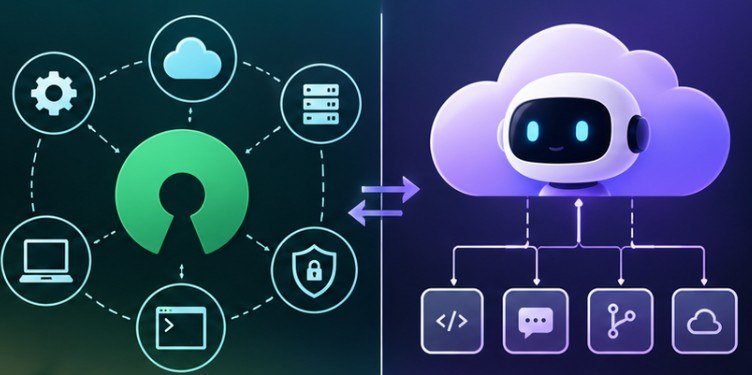
One of the strongest arguments for open-source assistants is the possibility of keeping source code local.
Continue can connect to Ollama and run compatible models on a developer’s own hardware. In that configuration, coding prompts do not need to be sent to an external LLM API simply to generate a response.
But installing an open-source extension does not automatically make a workflow private.
If that assistant sends repository context to a commercial API, the privacy characteristics depend on that provider’s policies and the organization’s configuration. Teams evaluating sensitive repositories should therefore ask four questions: Where is inference performed? What repository content leaves the machine? What gets retained? Who controls the endpoint?
This is particularly important for US businesses handling proprietary algorithms, customer information, regulated data, or sensitive infrastructure code. The National Institute of Standards and Technology recommends integrating security practices throughout software development rather than treating security as a final-stage check. That principle applies just as strongly to AI-generated changes.
Copilot Wins When Friction Matters Most
For developers who simply want useful AI assistance without maintaining models, endpoints, extensions, and configurations, Copilot’s advantage remains significant. Its strength is integration. Autocomplete, chat, code review, agent workflows, GitHub repositories, pull requests, and developer tooling increasingly live inside the same ecosystem.
As of October 2026, GitHub lists a Free plan alongside Copilot Pro at $10 per month, Pro+ at $39, and Max at $100 for individuals. GitHub’s current billing system also uses AI credits for features including chat, agent mode, code review, Copilot CLI, and cloud agents.
That predictable packaging can be attractive to individual developers and organizations that would rather pay per seat than manage several model-provider accounts.
This same convenience is why businesses exploring broader applications of AI may also want to evaluate AI-powered SEO tools for beginners and how AI is moving into workflows beyond software engineering.
Open-Source Tools Win on Customization
Open-source assistants become more appealing when developers want to control the entire AI stack. Cline, for instance, can operate in an IDE or terminal and can read files, modify code, execute commands, and interact with development tools while using human approval mechanisms. This flexibility creates several practical advantages.
A team can route confidential repositories to locally hosted models. Developers can experiment with newly released coding models without waiting for a SaaS vendor to add them. Organizations can create custom prompts, tool integrations, model routing, or repository workflows around their engineering requirements.
The trade-off is operational work. Local models consume RAM, VRAM, storage, and developer time. Continue recommends at least 8 GB of RAM for its Ollama workflow, with 16 GB or more preferred, while larger models can demand substantially greater resources.
“Free software” therefore does not necessarily mean zero cost. Cloud API usage can accumulate quickly, while local inference shifts costs toward hardware, electricity, maintenance, and engineering effort.
Security Should Be Part of the Comparison
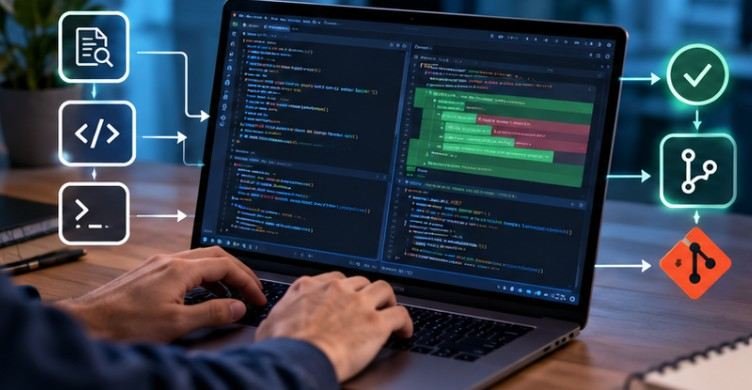
The most important limitation affects both camps: generated code still requires verification.
OWASP’s 2026 guidance on AI-assisted coding warns that agentic coding tools may execute shell commands, install packages, edit files, access networks, or otherwise operate with significant developer permissions. It recommends human ownership and approval for AI-generated changes rather than allowing AI output to bypass review.
NIST’s DevSecOps guidance similarly says AI-generated suggestions need rigorous human scrutiny and emphasizes governance, authorization controls, auditability, and oversight for autonomous agents.
CISA’s secure-AI guidance reinforces the broader Secure by Design principle: security should be treated as a fundamental development responsibility, not delegated to users after deployment.
Carnegie Mellon research adds another warning. In a study comparing 806 projects that adopted an AI coding tool with matched projects that did not, researchers observed an early jump in code production but longer-term quality and complexity concerns.
The lesson is simple: never compare assistants solely on how many lines they generate. Teams already investigating AI inside product workflows may also benefit from comparing AI design tools for UI/UX projects because the same trade-off between managed convenience and configurable tooling appears throughout AI software.
So Which One Should You Choose?
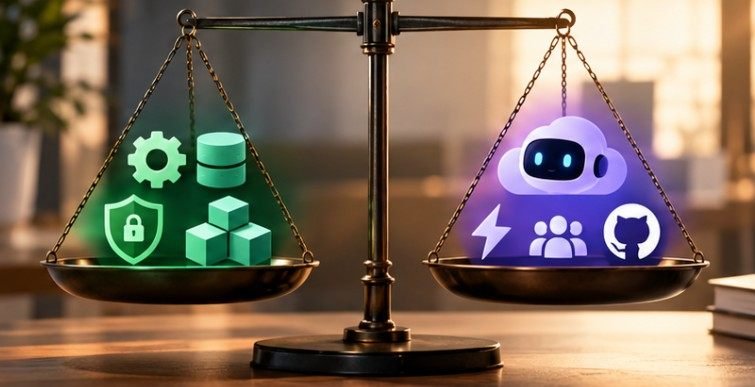
Choose GitHub Copilot when fast onboarding, polished IDE integration, strong GitHub connectivity, and predictable administration matter more than controlling every component.
Choose Continue, Aider, Cline, Roo Code, OpenCode, or another open-source option when local models, custom providers, terminal-heavy workflows, privacy architecture, or deep configuration matter more.
Many engineering teams may ultimately use both. Routine autocomplete can live in a managed product while sensitive repositories or specialized agent workflows run through controlled infrastructure.
That makes open source AI coding assistants vs GitHub Copilot less of a winner-takes-all contest than a question of where your organization wants convenience and where it requires control.
Frequently Asked Questions
1. Are open-source AI coding assistants completely free?
Usually the software is free, but cloud model APIs can cost money. Local models avoid API charges but require suitable hardware and operational resources.
2. Can open-source AI coding assistants work offline?
Some can. Tools connected to locally hosted models through platforms such as Ollama can operate without sending prompts to an external model provider.
3. Is GitHub Copilot better for beginners?
Often, yes. Its integrated setup and autocomplete require less model configuration, making it easier for developers who want assistance without maintaining their own AI stack.
4. Can AI-generated code be trusted without review?
No. AI coding tools can produce incorrect, insecure, or unnecessarily complex code. Generated changes should still undergo tests, security checks, and human code review.
Final Takeaway
The most capable coding assistant is not automatically the best one for your team. A fast autocomplete tool may be ideal for everyday development, while a configurable open-source agent may make more sense for private repositories or specialized automation.
The smarter evaluation is therefore not “Which AI writes the most code?” Ask which tool gives developers the right combination of control, security, workflow speed, model quality, and review safeguards. As the Carnegie Mellon research suggests, producing code quickly has limited value if engineering teams spend the next several months untangling what the assistant created.