
Two years into working remotely from my one-bedroom apartment, I caught myself answering Slack messages while stirring pasta sauce at 8:30 PM. My laptop sat three feet from my dining table, constantly pulling my attention back into unfinished spreadsheets. Figuring out how to separate work and personal life when working from home became essential once I realized my brain never actually clocked out.
When your living room doubles as your office, the physical cues that once ended your workday vanish. You have to build intentional friction between your career and your downtime. Below is the exact system I tested and refined to reclaim my evenings without sacrificing my career output.
Why Working From Home Blurs Your Mental Boundaries
Office workers get a built-in psychological buffer called a commute. Even a frustrating 25-minute drive gives your nervous system time to shift gears from project deadlines to dinner plans. At home, walking ten steps from a desk chair to a couch offers zero cognitive transition.
Research from the American Psychological Association highlights that chronic boundary blurring keeps your stress response active long after office hours end. When your brain associates your bedroom or sofa with urgent emails, those spaces lose their ability to trigger relaxation. Over time, this constant low-grade alertness leads to decision fatigue, poor sleep, and quiet burnout.
My 14-Day Experiment: The Context-Switching Ledger
To fix my evening work habits, I tracked every time my mind drifted back to work after 6:00 PM for two weeks. I called this my Context-Switching Ledger. Every time I thought about an email, checked my phone, or felt a spike of task anxiety, I made a tally mark and noted the trigger.
During week one, I averaged 11 phantom work thoughts per evening. Almost 80% of those intrusions happened because of two triggers: seeing my open laptop on the dining table and receiving non-urgent notifications on my personal phone.
In week two, I introduced a strict three-part shutdown routine. By day fourteen, my evening work intrusions dropped from 11 per night to just 2. The difference came down to removing visual triggers and closing open mental loops before stepping away from my screen.
How to Set Physical Boundaries in Any Living Space

You do not need a spare bedroom with French doors to create spatial separation. You simply need clear rules about where work happens and where it is banned.
Establish a Strict Work-Only Zone
Pick one specific spot for your computer—a corner desk, a specific end of the kitchen table, or a designated chair. Never take your laptop onto your bed or your primary lounging couch.
According to the Sleep Foundation, conditioning your brain to associate your bed strictly with rest protects your circadian rhythm and sleep quality. If you answer emails under your duvet at noon, your brain will stay wired when you try to sleep at midnight. Furthermore, working from a soft sofa wrecks your spinal alignment; setting up a dedicated chair helps you fix bad posture from working on a laptop before neck pain sets in.
Practice the “Out-of-Sight” Hardware Rule
When your shift ends, physically erase your workstation. Close your laptop lid, tuck your notebook into a drawer, and put your mouse out of reach.
If you use an external monitor in a shared living area, drape a clean linen cloth or throw blanket over the screen at 5:30 PM. Visual cues drive human behavior. Removing the sight of your work gear stops your brain from subconsciously scanning for unfinished tasks while you watch television.
Daily Transition Rituals That Replace Your Commute

Since you no longer drive or ride the train home, you need artificial bookends to open and close your workday. Studies featured in Harvard Business Review show that structured transition rituals help remote employees achieve psychological detachment from work stress.
The 5-Minute Open-Loop Brain Dump
Your brain hates unfinished business. Psychologists call this the Zeigarnik effect—our tendency to obsess over incomplete tasks until we make a concrete plan to finish them.
Spend the final five minutes of your day writing down two short lists on physical paper:
- Three wins: Tasks you actually completed today.
- Tomorrow’s top priority: The single most important task waiting for you at 9:00 AM.
Once those items sit on paper, your brain stops trying to hold them in working memory over dinner.
Sensory Cues That Signal Your Brain to Clock Out
Pair your written brain dump with a physical change in your environment. I take a brisk 15-minute walk around my block right after logging off. Stepping outside into fresh air acts as a fake commute that resets my focus.
When I get back inside, I immediately change out of my daytime shirt into loungewear and switch my apartment from bright overhead lighting to warm table lamps. If you work late shifts or cross time zones, pairing warm evening lighting with proper screen filters for night workers further protects your melatonin production from harsh blue light.
Digital Boundaries to Stop After-Hours Doom-Checking
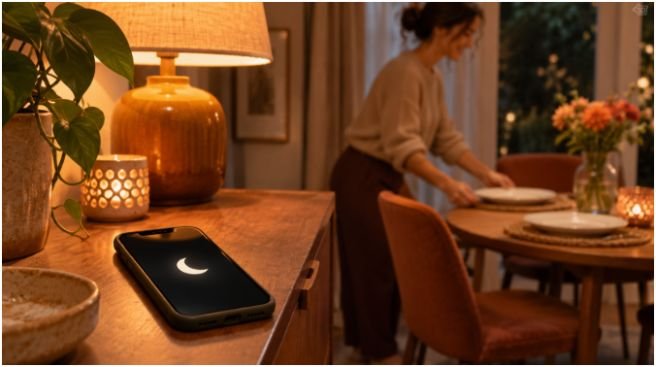
Physical walls mean nothing if your employer lives inside your pocket. Creating work-life balance remote routines requires locking down your devices.
Separate Browser Profiles and Hardware Access
Never mix personal browsing with work tabs in the same browser window. Set up a dedicated “Work” profile in Chrome or Edge that houses your work email, project management boards, and company bookmarks. Keep your personal profile completely free of work logins.
When 6:00 PM hits, close the work browser window entirely. If you open your laptop at night to book flights or watch a video, you will not accidentally see a badge showing fourteen unread emails.
Automate Notification Blackouts
Unless your job contract explicitly requires on-call emergency response, delete Slack, Microsoft Teams, and your work email app from your personal smartphone. Checking messages “just to stay ahead” trains your coworkers to expect instant replies at night.
If you must keep work apps on your phone, automate your boundaries using iOS Focus modes or Android Digital Wellbeing. Set a recurring schedule that silences all work notifications from 6:00 PM until 8:30 AM the next morning, plus all weekend.
Managing Schedules and Housemate Expectations
Clear boundaries also require honest communication with the people you work with and the people you live with. The CDC and NIOSH emphasize that predictable rest breaks and clear role expectations are vital for preventing remote worker fatigue.
Block your exact working hours—and a non-negotiable 45-minute lunch break—directly on your shared company calendar. Eat your lunch away from your desk so your eyes and posture get a genuine break from the screen.
At home, establish a visual signal with your partner, kids, or roommates. Put on over-ear headphones or close your door when you are in deep focus mode. Take the headphones off or leave the door ajar when you are available to chat. Simple visual rules prevent constant interruptions and spare everyone unnecessary friction.
Frequently Asked Questions
1. How do I separate work and personal life in a small studio apartment?
Use a folding room divider or pack your laptop into a backpack at 5:30 PM so your workstation visually disappears from your living space.
2. What is a fake commute when working from home?
A fake commute is a 10-to-20-minute walk, workout, or sensory routine right before and after work that helps your brain transition between roles.
3. Should I keep work email on my personal phone?
No, unless you are paid to be on-call, removing work apps from your personal phone is the fastest way to stop after-hours stress.
4. How long does it take to build a WFH shutdown routine?
Most remote workers notice lower evening anxiety within 7 to 14 days of consistently practicing a daily brain dump and notification blackout.
Your Couch Is Not a Conference Room: Clock Out Like You Mean It
Learning how to separate work and personal life when working from home comes down to respecting your own off-the-clock hours. Your company pays for your focus during business hours, not your peace of mind at 9:00 PM.
Tonight, pick just one boundary from this guide before you wrap up. Write down tomorrow’s top priority on a sticky note, close your laptop lid, and put it in a drawer until morning.