
A useful contact form can become a junk mailbox overnight. When I assess how to prevent spam submissions on website contact forms, I do not begin with a frustrating puzzle. I create several quiet checks that bots must pass while genuine visitors see a simple form.
The strongest setup combines front-end traps, behavioral verification, server-side validation, rate limits, and content scoring. Each layer catches a different type of abuse without creating unnecessary barriers.
Why One Anti-Spam Tool Is Not Enough
Basic bots complete every available field and submit the form almost instantly. More capable bots can run JavaScript, rotate network addresses, and imitate realistic browsing. Human spammers may also paste promotional messages manually.
OWASP describes automated threats as the unwanted misuse of valid web application functions. A contact endpoint may work correctly, yet attackers can still exploit its availability at scale.
I therefore avoid depending on one CAPTCHA, keyword list, or hidden field. Combining several signals provides stronger protection and makes false positives easier to manage.
Quick Contact Form Spam Prevention Table
| Method | Best against | User friction | Recommended use |
| Honeypot field | Basic form-filling bots | None | Flag submissions when the hidden field is completed |
| Completion-time check | Instant bot submissions | None | Increase risk for unrealistically fast forms |
| Turnstile or reCAPTCHA v3 | Advanced automated traffic | Low | Verify every token on the server |
| Field validation | Malformed or abusive input | None | Enforce format, type, and length limits |
| Link and keyword scoring | Promotional spam | None | Combine several warning signs |
| Rate limiting | Repeated endpoint abuse | None | Restrict attempts within a time window |
| Anti-spam service | Known spam patterns | None | Quarantine uncertain results for review |
This layered approach demonstrates how to prevent spam submissions on website contact forms without forcing every customer to complete a visible challenge.
Add Zero-Friction Bot Traps
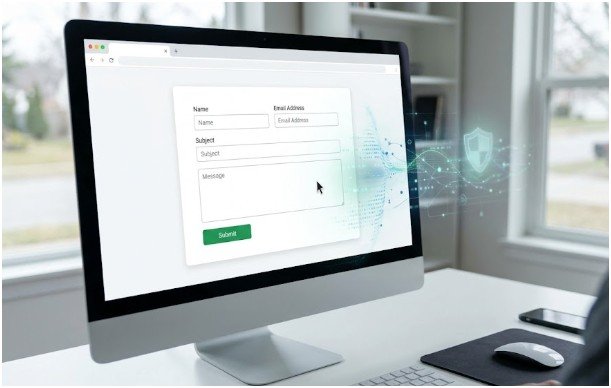
Create a Honeypot Field
A honeypot is an extra form field that genuine visitors cannot see or access. Basic bots often scan the raw HTML and complete every input. Your server can flag the request when the honeypot contains data.
Give the field a neutral name rather than calling it “honeypot.” Hide it from visual users and assistive technology, remove it from keyboard navigation, and always inspect it on the server.
Do not depend on the honeypot alone. Advanced bots may recognize hidden inputs or submit requests directly to the endpoint.
Measure Form Completion Time
Store a timestamp when the form loads and compare it with the submission time. A name, email address, subject, and detailed message submitted in one second deserves additional scrutiny.
I use completion speed as a scoring signal, not an automatic rejection rule. Browser autofill and returning visitors can complete forms quickly.
A practical threshold might flag submissions completed in fewer than three seconds. The final decision should also consider link count, token validity, and recent submission activity.
Use Dynamic Form Actions Carefully
JavaScript can add the true form-processing endpoint after the page loads or after a visitor interacts with a field. This can stop simple scraping scripts that do not execute JavaScript.
However, dynamic actions create friction rather than complete security. Modern automation tools may render the page and execute scripts. Server-side protection must still inspect every request.
Add Invisible Bot Verification
Configure Cloudflare Turnstile Correctly
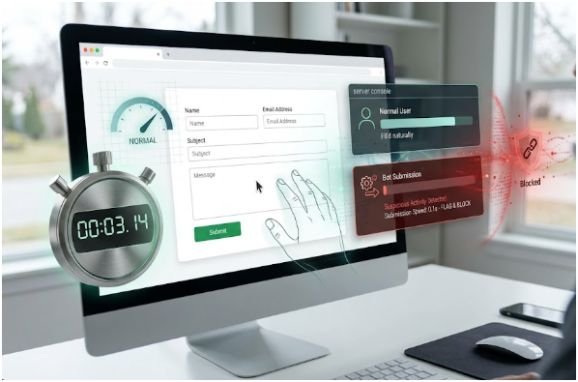
Cloudflare Turnstile can protect contact forms without presenting a traditional image CAPTCHA. Visitors may complete the form without solving a puzzle.
The client-side widget is not enough. Cloudflare requires server-side validation through its Siteverify API. Turnstile tokens can be forged, expire after five minutes, and can only be used once.
When implementing how to prevent spam submissions on website contact forms, never approve a request simply because it contains a token field. Send the token to Cloudflare and process the message only after successful verification.
Use Google reCAPTCHA v3 as a Risk Signal
Google reCAPTCHA v3 returns a score between 0.0 and 1.0 instead of displaying a challenge to every visitor. A higher score suggests a more trustworthy interaction.
Google recommends beginning near a 0.5 threshold, monitoring real production traffic, and adjusting the threshold for the website. The backend should also confirm that the returned action matches the expected form action.
I prefer graduated responses. High-scoring submissions can pass, medium-scoring messages can enter moderation, and low-scoring requests can face an additional check.
Enforce Server-Side Form Security

Validate Every Field
Client-side validation helps visitors correct errors, but server-side validation determines what the application accepts.
OWASP recommends validating both syntax and meaning. This includes checking data types, formats, permitted values, and minimum or maximum lengths. Denylists should supplement allowlists rather than replace them.
Set sensible limits for names, email addresses, subjects, and message fields. Reject unexpected parameters and normalize unnecessary whitespace.
The related resource how to validate website forms on client and server side can explain how these validation layers work together.
Score Links, Keywords, and Email Risk
Count the number of links in each message. A submission containing five unrelated links, repeated sales phrases, and mismatched contact details deserves a higher risk score.
Avoid rejecting every message containing words such as “SEO,” “marketing,” or “crypto.” Genuine customers may use those terms. Weighted scoring is more accurate than broad keyword bans.
Disposable email domains can increase the risk score. However, an automatic ban may block privacy-conscious visitors who use aliases or email-forwarding services.
Apply Rate Limits
Rate limiting controls how frequently one source can submit a form. It can prevent a bot from sending hundreds of messages within minutes.
Do not depend solely on an IP address. Offices, public Wi-Fi networks, and mobile providers may place many legitimate users behind one shared address.
OWASP recommends limiting how often a client can interact with an endpoint and adjusting thresholds according to business needs.
A practical rule may allow several normal attempts, challenge repeated activity, and temporarily block extreme abuse.
Use the Three-Gate Spam Filter
My preferred framework for how to prevent spam submissions on website contact forms uses three consecutive gates.
Gate one checks structural signals. It reviews the honeypot, completion time, JavaScript state, and unexpected fields.
Gate two checks verification signals. It validates the Turnstile or reCAPTCHA token, expected action, expiration status, and verification result.
Gate three checks behavioral signals. It evaluates links, suspicious phrases, email reputation, recent attempts, and submission frequency.
Consider a form completed in seven seconds with a blank honeypot, valid token, one relevant link, and no repeated requests. That message can pass.
Now consider a form submitted in one second with five links and three recent attempts. It should enter quarantine, even when one signal appears legitimate.
This approach prevents one imperfect rule from deciding the entire result.
Monitor Spam and False Positives
Track how many submissions are accepted, rejected, and quarantined. Review samples weekly after implementation, then move to monthly reviews when the results become stable.
Record which rule influenced each decision. Avoid storing unnecessary personal information merely for spam analysis.
WordPress websites can use services such as Akismet with supported contact-form plugins or custom integrations. Akismet also recommends reporting missed spam and false positives to improve classification quality.
Test the complete form after changing a plugin, theme, CDN, firewall, or backend process. Confirm that failed verification stops safely and legitimate messages still reach the correct inbox.
Frequently Asked Questions
1. How can I stop contact form spam without CAPTCHA?
Combine honeypots, completion-time checks, server validation, rate limiting, and invisible risk scoring instead of visible CAPTCHA puzzles.
2. Is a honeypot enough to prevent contact form spam?
No. Advanced bots may ignore hidden fields, so honeypots should support server validation, rate limiting, and behavioral verification.
3. What is the best WordPress contact form spam protection?
Use secure form settings, server-side validation, rate limits, invisible verification, and a compatible filtering service such as Akismet.
4. How often should contact form spam rules be reviewed?
Review rules weekly after launch and monthly once spam volume, legitimate inquiries, and false-positive rates become predictable.
Spam Does Not Get the Last Word
I approach how to prevent spam submissions on website contact forms by making bots pass several silent checks while genuine visitors complete one clean form.
The best anti-spam system is not the harshest filter. It is the system that blocks abuse without damaging accessibility, conversions, or legitimate inquiries.
Start with a honeypot, strict server validation, and rate limiting. Add Turnstile or reCAPTCHA v3 when abuse continues. Keep uncertain messages in quarantine until your rules prove reliable.